
Finish the scramble you already have.
Use the camera on the real 2×2 or 3×3 in your hands. If light or reflections confuse one color, adjust that sticker on the review map.
Cube Solver teaches the layer-by-layer method on your own cube. Each step names the piece being placed, shows it traveling in 3D while the finished pieces stay locked, and explains in plain language why the move is made. Lost your place? Check my cube finds the turn that went wrong.
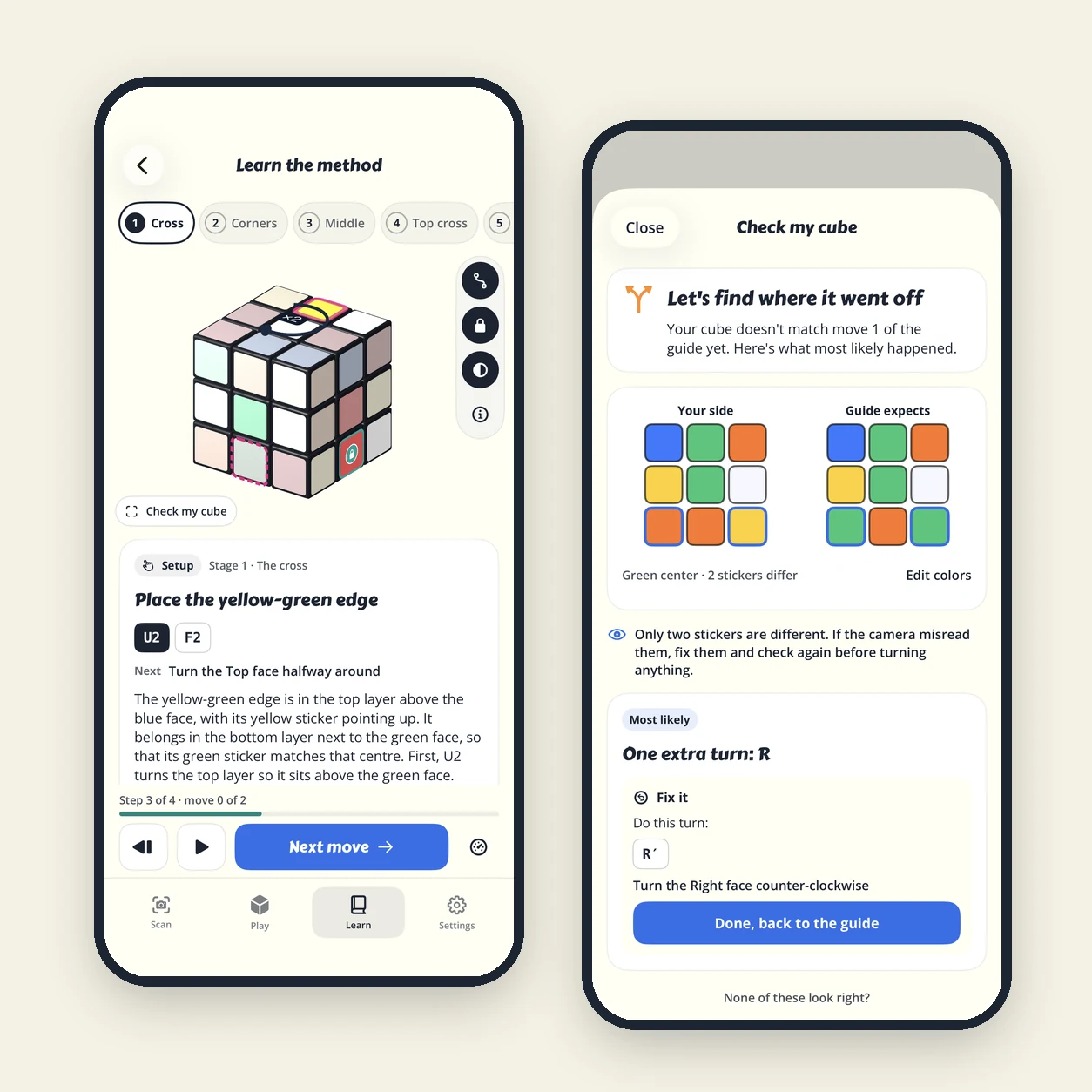
The guide follows the standard beginner method: the cross, the first-layer corners and the middle layer, then the last layer in four short stages. You can also pick the fastest solution instead.
Built for people who want to be able to do this without the app one day.
Seven short lessons, each with what “done” looks like, why the stage comes at that point, a 3D demonstration and practice cases set up for it. Every lesson is free and works without a cube or a scan.
Scan the six faces or enter the colors, correct any misread sticker, and get a guide built for that exact cube. The piece being placed is highlighted with its path, and the pieces you have already solved stay locked.
Read why a step is made, open the how-it-works breakdown of named algorithms like the Sexy Move, or use Check my cube to compare what you are holding with what the guide expects.
Captures from the current iPhone build. The simulator has no camera feed, so the gallery shows Learn, the guide and Check my cube rather than an empty Scan view.
Swipe to see all six screens
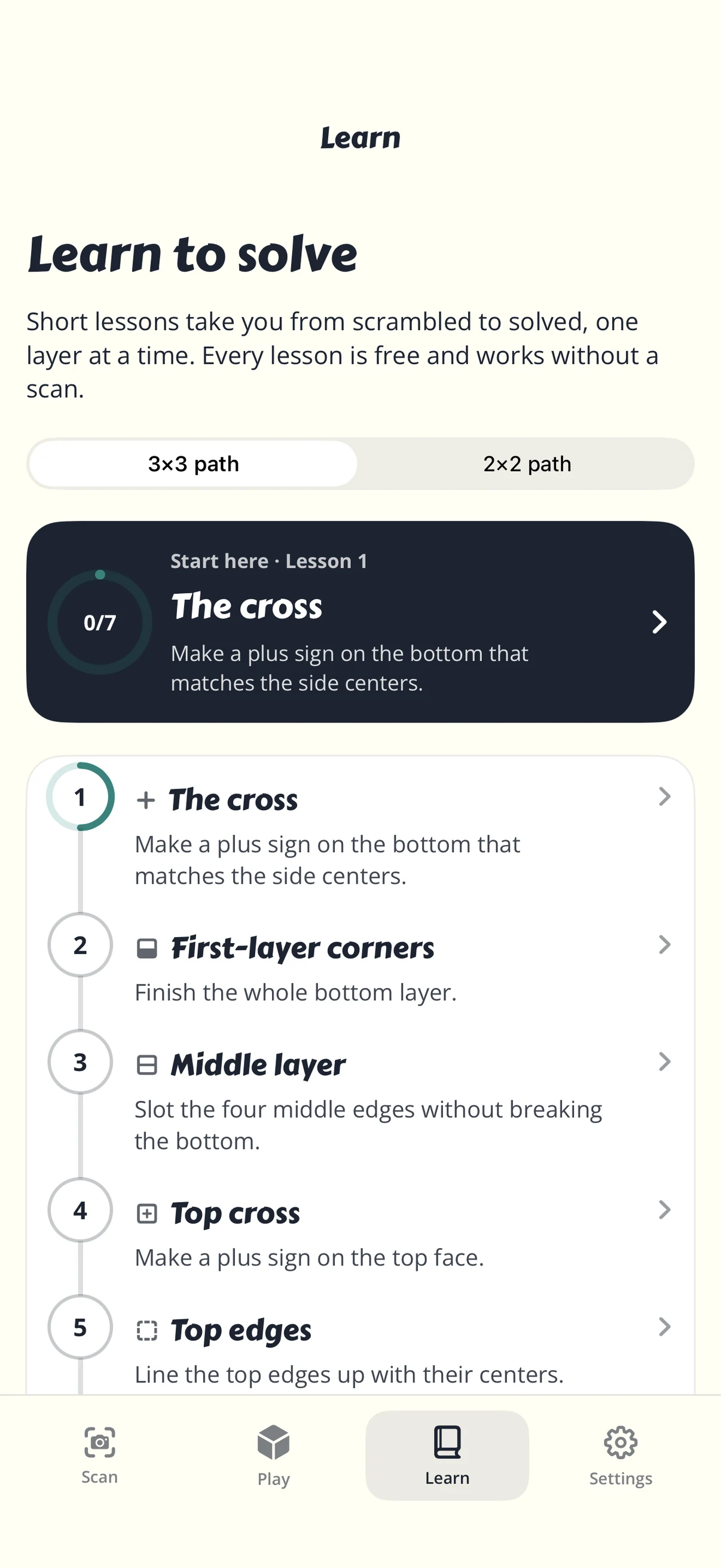
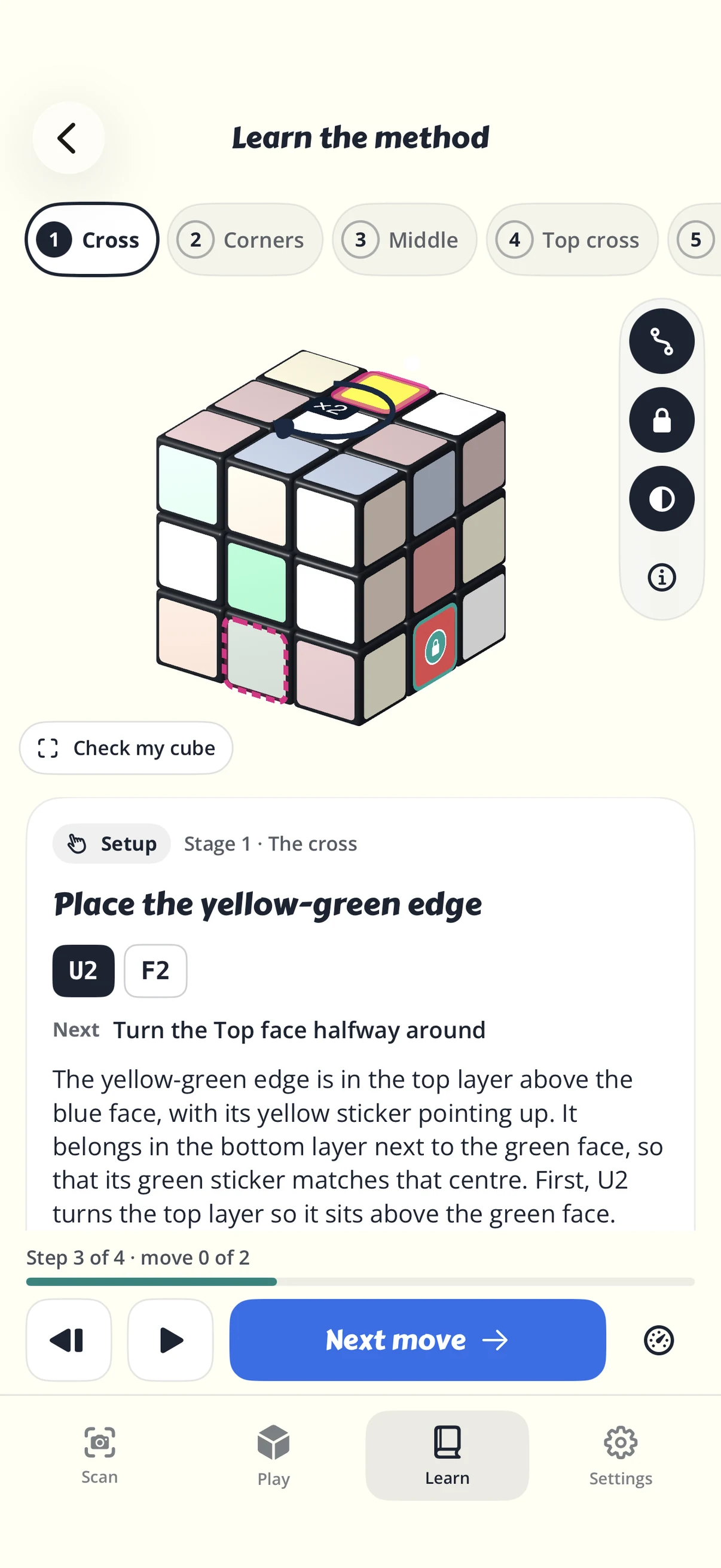
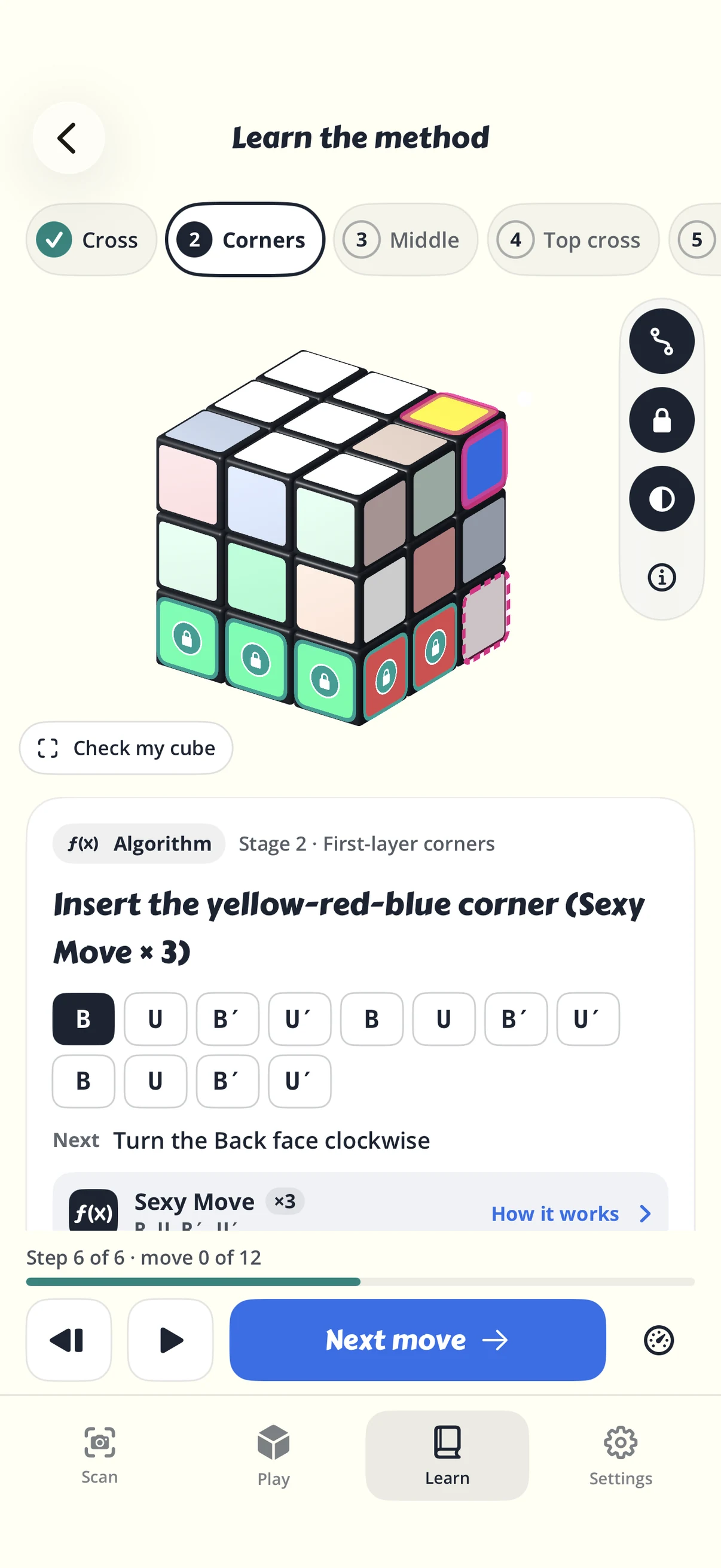
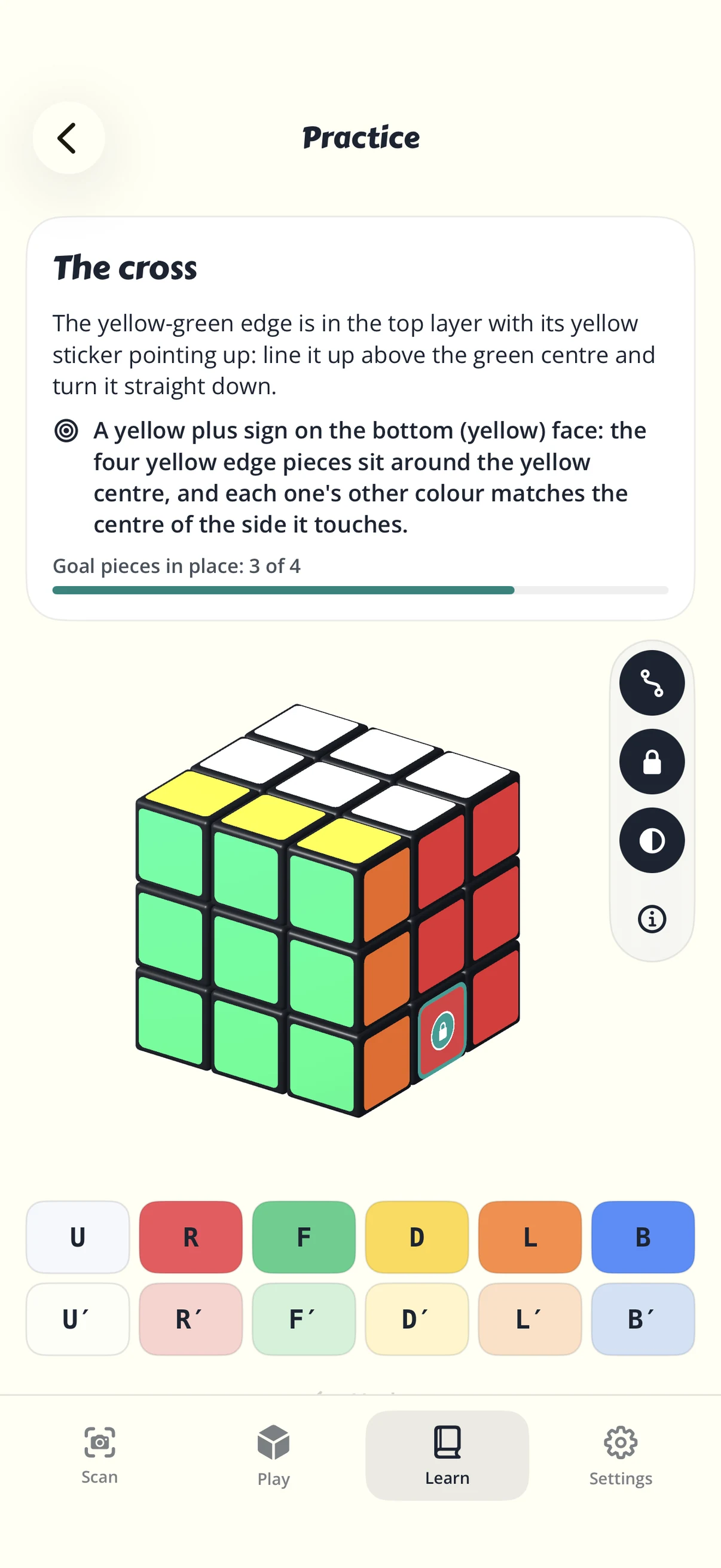
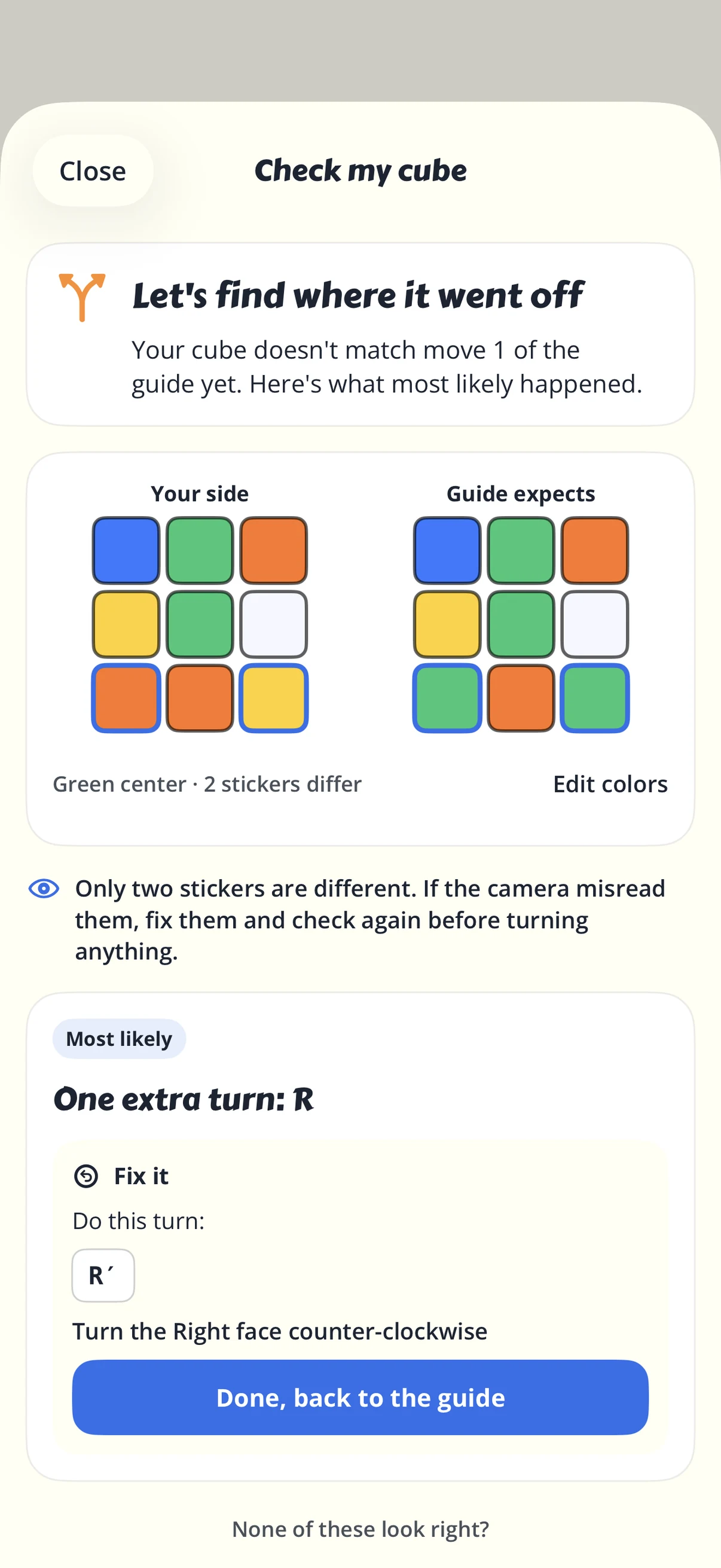
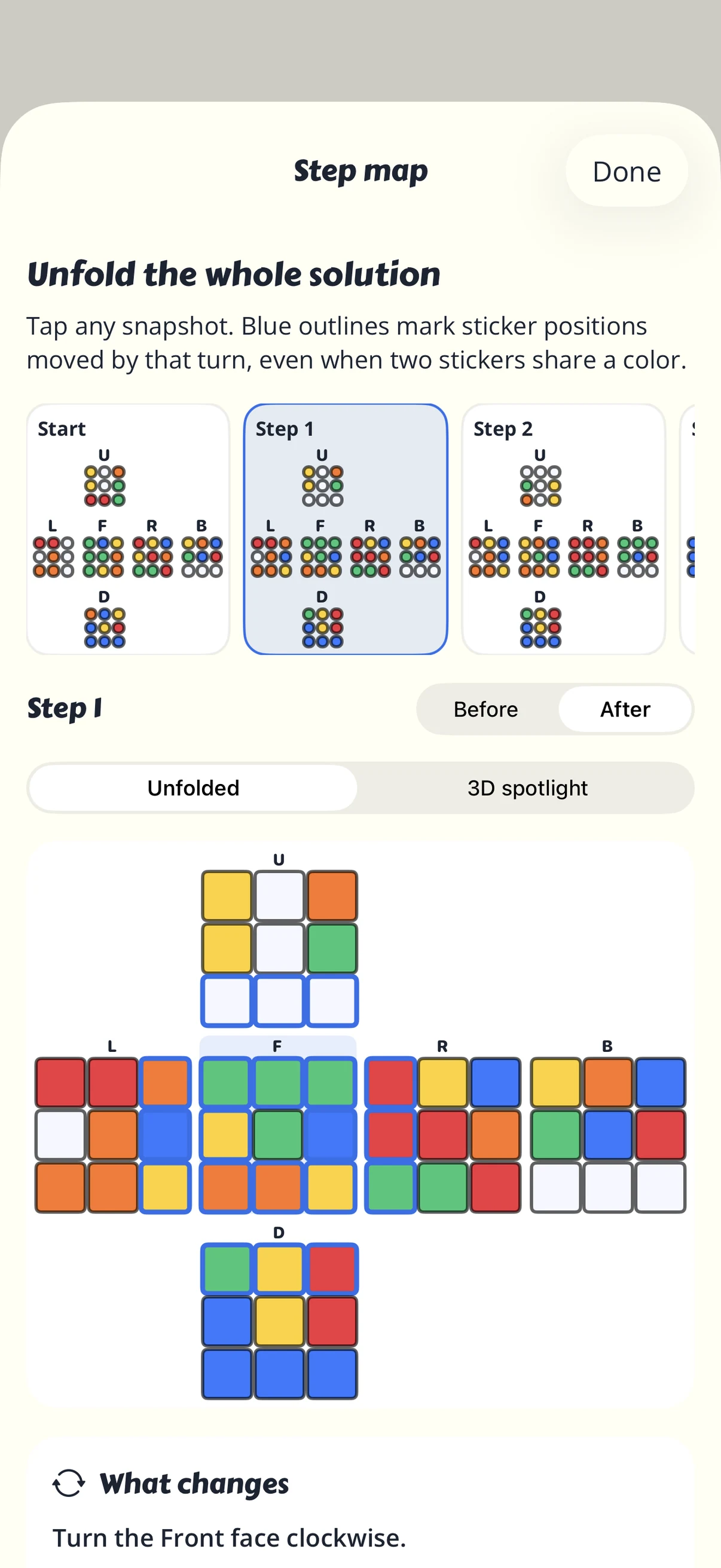
Use the camera on the real 2×2 or 3×3 in your hands. If light or reflections confuse one color, adjust that sticker on the review map.
Practice face turns in Learn, then compare the 3D cube with the unfolded net. The visible affected stickers make notation less abstract.
Mix the 3D cube, drag a piece, use the turn pad, undo a mistake, and ask for a guided solve. Larger 4×4 through 7×7 cubes have a separate Play mode, not camera solving.
Choose a built-in pattern for 2×2 or 3×3 and follow the guided turns. It is a different goal from returning every face to one color.
Cube Solver does not have a verified public App Store listing in the US or Israel yet, so we will not send you to an unrelated app. When its listing is live, this page will link directly to it. On your iPhone or iPad, open that link, tap Get, then start with the first lesson, or choose your cube and open Scan.
Ask for the launch linkThe current build allows three free guides every seven days; Learn and Play remain available. Unlimited guides and patterns are planned through an optional subscription, with any price and trial shown in the app before purchase.
No. The seven lessons and their practice cases run on the virtual 3D cube, so you can learn the method first and apply it to a real cube afterwards.
Yes. Camera and manual color entry support those two sizes. The larger 4×4 through 7×7 cubes in the library are play-only, not camera solving.
Review the unfolded six-face map before solving, then tap Adjust colors to correct individual stickers. You can also enter colors without using the camera.
The detailed step-by-step explanations are currently in English. Buttons, tabs, lesson titles and the Check my cube screens are translated into the app’s other languages.
The current build includes three free guides every seven days, plus Learn and Play. An optional subscription is being prepared for unlimited guides and patterns. Any actual price or trial eligibility will appear in the app before purchase; we do not quote an unverified store price here.
Not yet. We could not verify a public Cube Solver listing in the US or Israel. Use the launch-link email above, or return to this page for the official link when it is live.